You decide what left + right means
Two opposite directions at once is where leverless controllers differ. Pick the rule per profile. Hold both keys below, or A and D on your keyboard.
 Buy
Drag to spin · press the keys
Home / Superslab
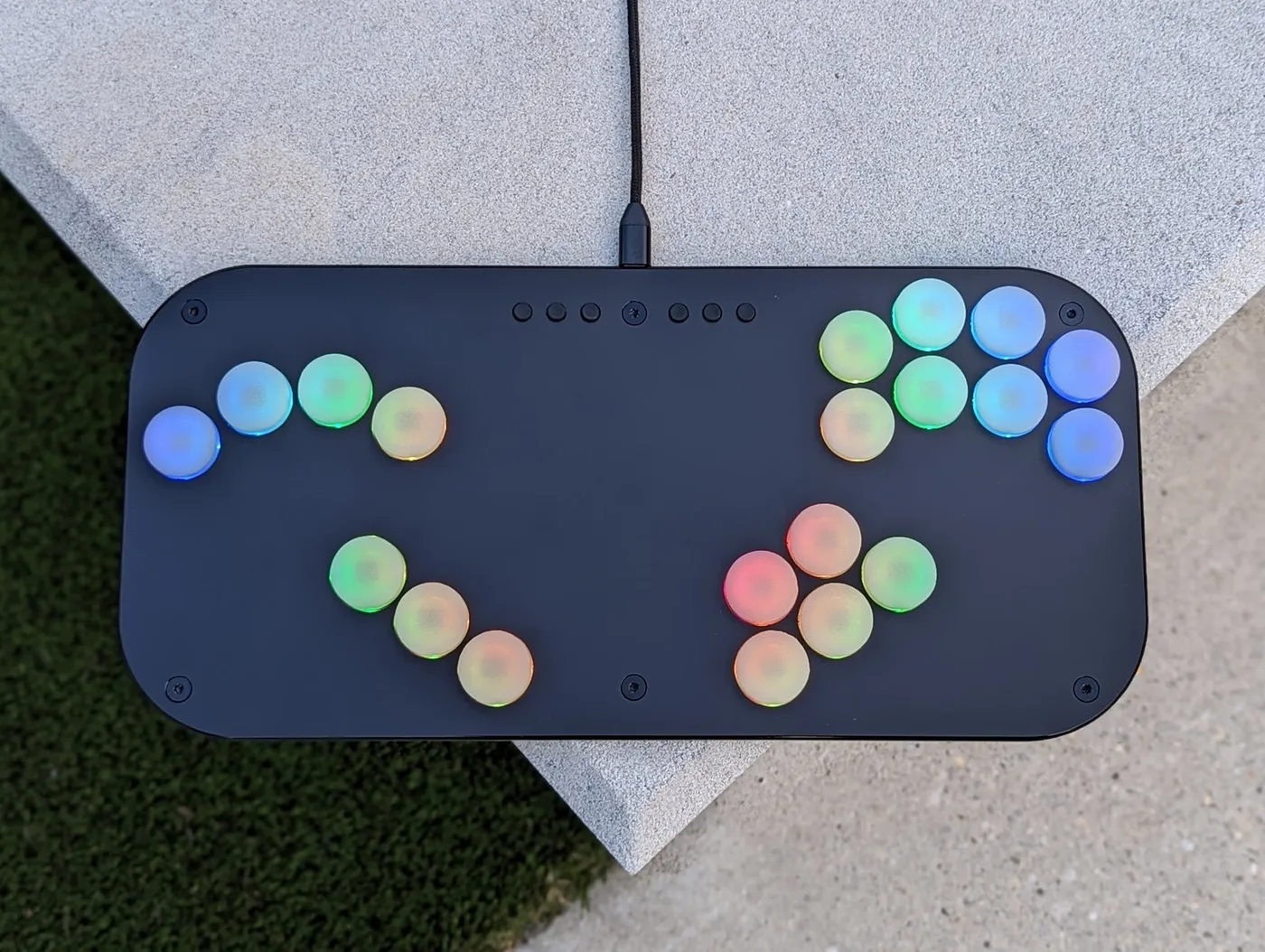
The 20-key leverless controller for Melee, Project+, Ultimate and PC. 15 mm thin and lit under every key.
$300 USD
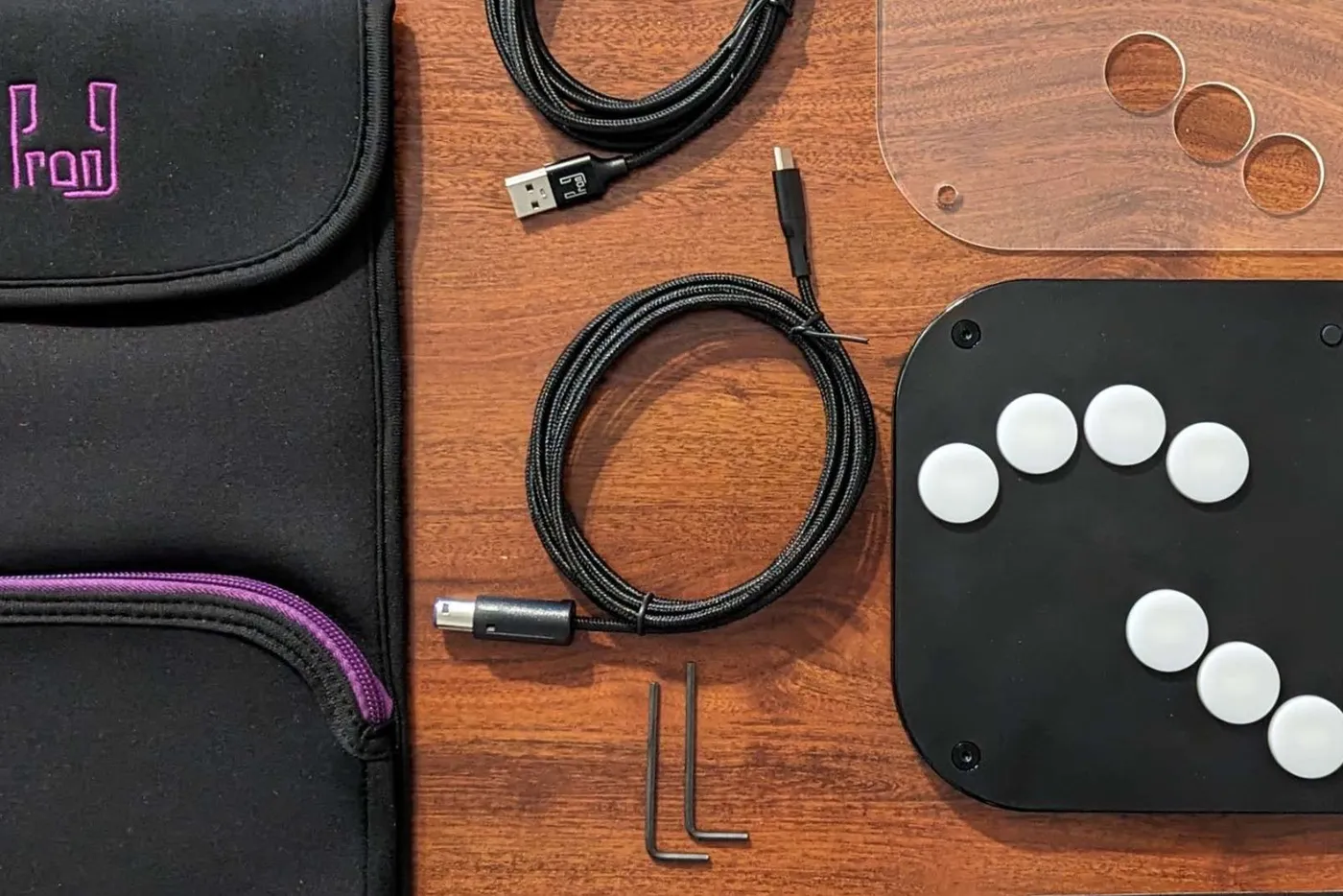
In the box: slab, matte black top, clear top for your art, sleeve, grip pad, foam dampeners, USB-C to USB-A cable, USB-C to GameCube cable, hex keys.
Lights and art
Four LEDs under each key, up to four colours per pattern, and every press can answer back. Try the presets, then put your own picture under the clear top.
Firmware and config page 1.0
Hold a menu button as you plug in and the slab serves its own settings page. No app, no driver, no account. Everything below is a working piece of it, so go ahead and press things.
Two opposite directions at once is where leverless controllers differ. Pick the rule per profile. Hold both keys below, or A and D on your keyboard.
Each game gets its own coordinate set. Hold a modifier and the stick lands on the value you chose, every time.
One per key. Hold a key as you plug in and the slab starts in that profile, so your Melee and PC setups travel with it.
1 · Melee, tournament
Pick a key, pick what it does. On the real page you can also press the key on the slab and the page finds it.
Share a setup as a code, a link, a QR or a .slab file. Whoever gets it can try it live before saving it.
The page graphs what your light setup draws and the slab holds it under the limit: 400 mA on USB, 190 mA on a GameCube port.
One slab speaks to all of these, and the Live tab shows each key, stick and trigger as the slab reports it.
Key test · tap each one
This is the page that ships on the slab, talking to a pretend slab. Three things to try:
Runs here against a pretend Superslab on firmware 1.0.
Works with
| System | How | Cable |
|---|---|---|
| GameCube, Wii | Native. The slab speaks GameCube directly. | USB-C to GameCube, in the box |
| Switch | Native over USB, or through a GameCube adapter. | USB-C to USB-A, in the box |
| PC | Native. XInput, DirectInput or keyboard. GameCube adapter mode for Dolphin and Slippi. | USB-C to USB-A, in the box |
| PS4, PS3 | Native over USB. | USB-C to USB-A, in the box |
| PS5 | Not native. Needs a third-party adapter. which adapter to name? | Adapter, not included |
Specs
In the box
Questions
We build in monthly batches and ship in order number order. An order placed now goes out with the next batch.
arhum to word this: the current ruleset status The firmware has the travel time and fuzzing switches the Melee ruleset asks for, and the config page shows when a profile is ruleset legal.
Not by itself. PS4 and PS3 work over USB. PS5 needs a third-party adapter.
Same slab, same switches. Aluminium is 208 g heavier and colder to the touch. Either way you also get the clear top for art, and a metal faceplate can be added later for $30.
No. The settings page lives on the slab and opens in Chrome, Safari or Edge on a computer.
Everything comes apart with the hex keys in the box, and the service kit has switches, screws and dampeners. For anything else, ask in the Discord or email us.
From $280. Ships with the next monthly batch.